Command Center

An AI that runsyour business.You approve the work.

It reads your calls, your email and your calendar, then acts on what it finds: the follow-up written, the deal moved to the right stage, the next call booked, the notes filed. Every one of those waits in a single queue for your approval. We build it around how your business actually runs and hand it over already loaded with your history.

4 waiting / approval queuelive
  • Reply to Sarah ChenShe asked for the revised scope by Friday.
  • Hold 30 minutes with Dana WhitfieldYou promised Thursday on the call.
  • Move Northwind Group to Proposal SentHer reply: "send it over this week and I will get it in front of Marcus."
  • Add 4 tasks from the Brightwater site visitEach one is quoted from the transcript so you can check it.
Approved today 11Edited 2 / Rejected 1

What it costs you

The business knows things
that only you know.

Tuesday's call produced three commitments, two of them yours, and none of them exist anywhere but your memory. Multiply that across a week of calls and email and the real constraint on the business is not demand or capacity. It is how fast one person can work through what they already know. An operations hire fixes that. So does a system that captures the same things and acts on them, for a good deal less, running inside two weeks.

What we build

Built around your
business, not
configured to it.

There is no generic version of this. The discovery works out how your business actually runs: what a job or a matter or a deal is called in your language, which decisions you would never hand to software, and where the hours currently go. What we build follows that. The categories, the vocabulary, and the stages end up being yours, which is why two installs in the same industry never look alike.

A demonstration

What it is like
to work in one.

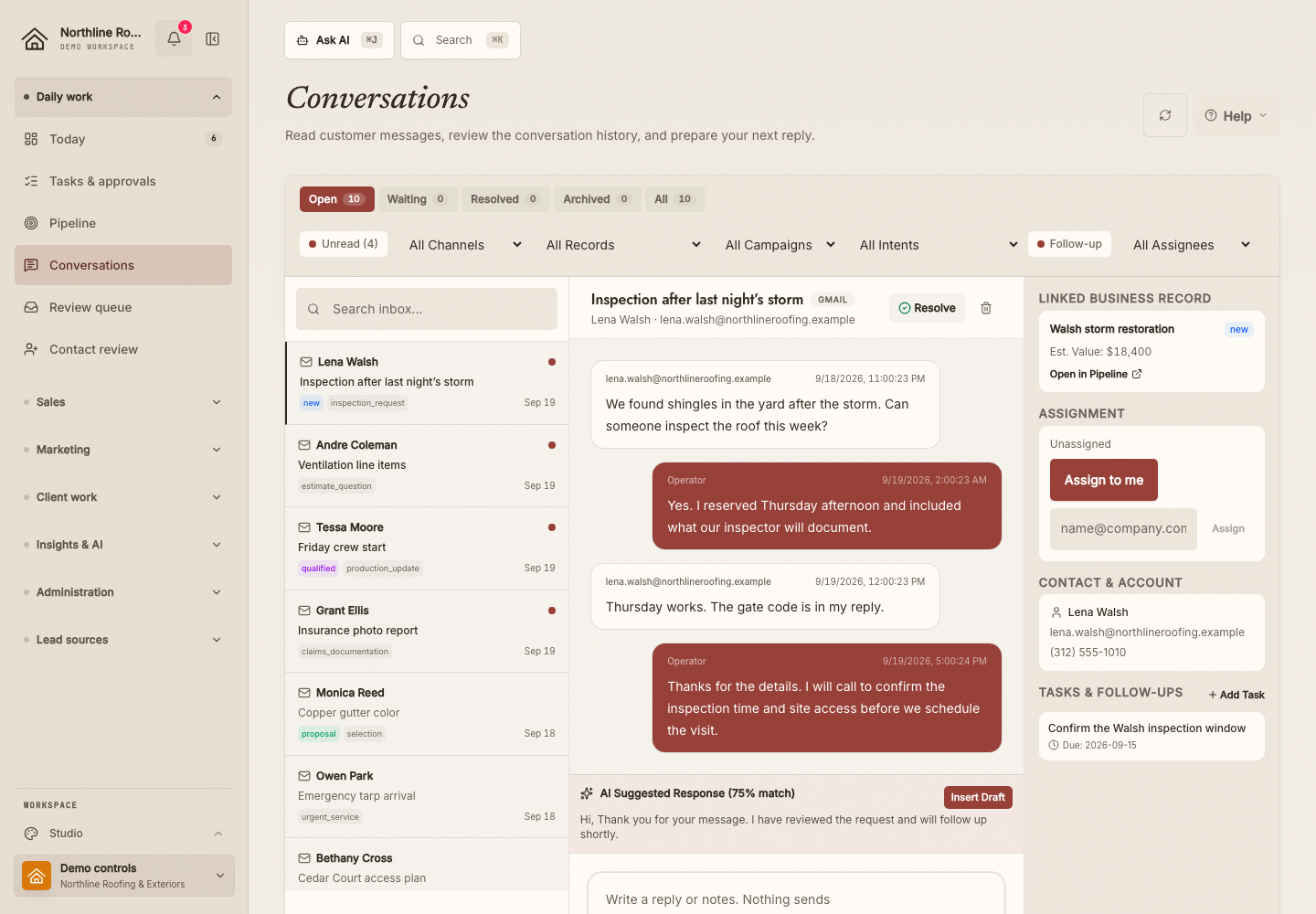
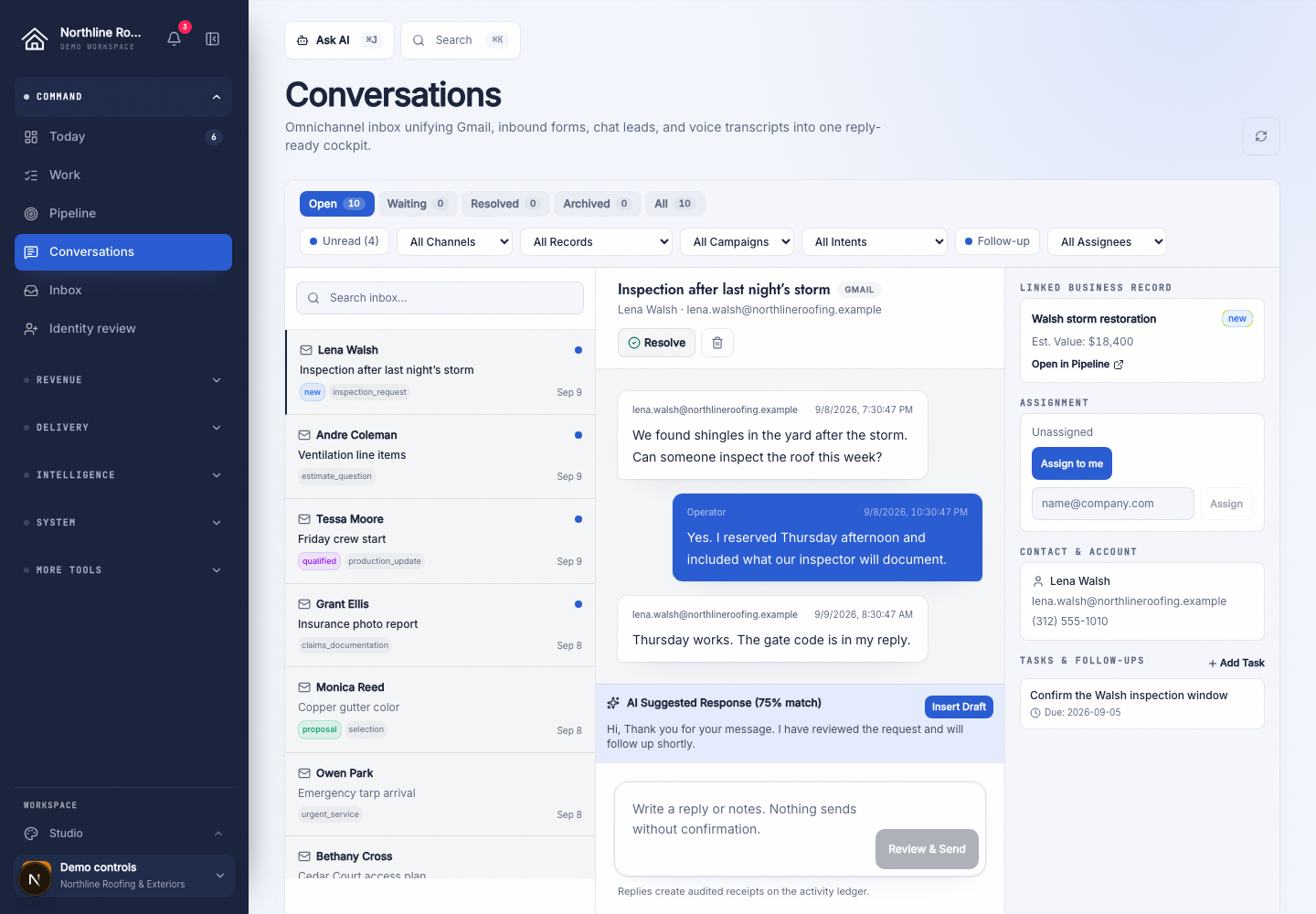
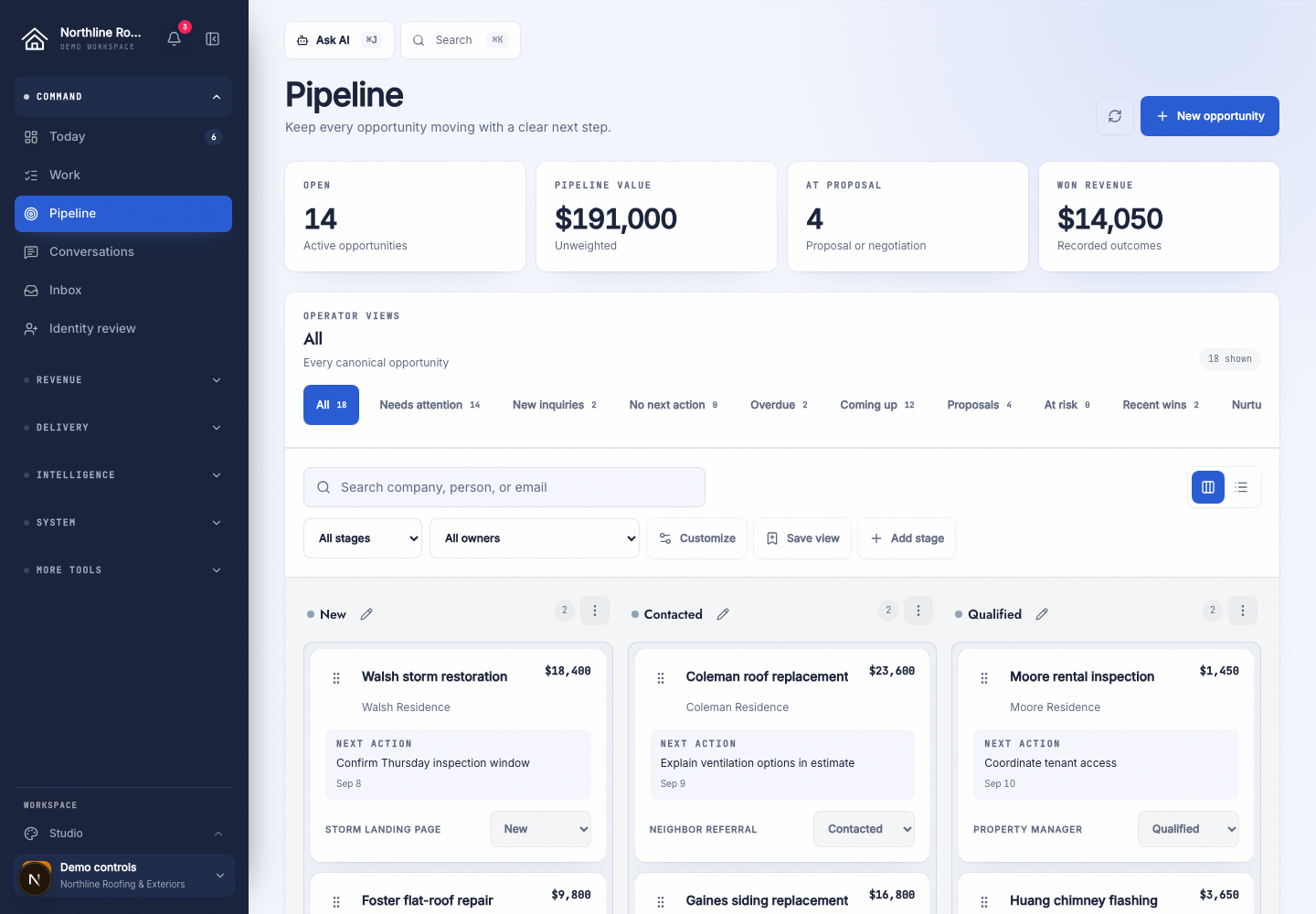
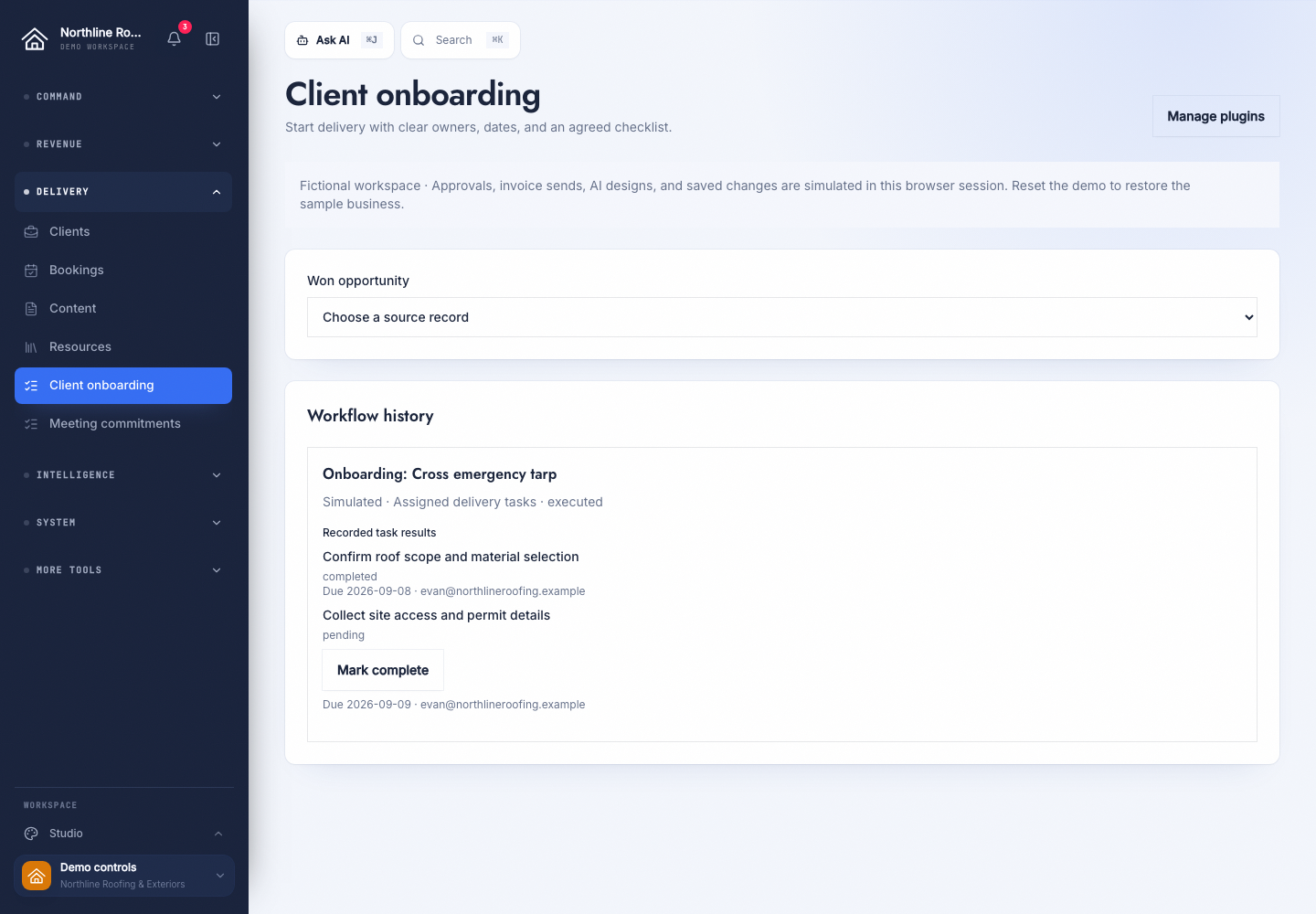
Below is a working demonstration running on invented data for a company that does not exist. It is not a screenshot and not a recording, so you can clear the queue, open a record, ask it a question and apply a set of meeting notes. Read it as the shape of the thing rather than the thing itself: yours would be built around your work, with your people and your language in it.

Command Center / your workspace
Sample data

6 waiting on you

Approve sends it. Edit changes it first. Skip throws it away.

Approved today 11
  • 14

    emails read and filed

  • 3

    meetings written up

  • 6

    actions drafted

  • 0

    sent without you

The kind that graduates out of this queue first.

How it works

The loop everything
runs on.

Whatever we end up building for you, the mechanism underneath is the same four steps. Most tools hand you a draft when you go looking for one. This has already written it, attached it to the right record and put it in a queue before you sat down.

STEP 01

It watches

no input from you

Transcripts, email, and calendar arrive on their own. It pulls out who was there, what was decided, and what somebody promised.

STEP 02

It drafts the work

nothing sent yet

The follow-up email, the task list, the stage change, the calendar hold. Written, attached to the right records, and staged.

STEP 03

You approve

your call, every time

One queue. Approve, edit, or throw it out. A morning of admin clears in about the time it takes to drink a coffee.

STEP 04

It learns from what you did

compounding

Your edits move the next draft closer. Work it gets right often enough is work you can eventually stop reading.

Autonomy

The approval step is
meant to get smaller.

An approval queue is easy to sell and easy to get wrong. If you are still clicking approve on the same routine work a year from now, it has quietly become a slower way of doing the job yourself. So the gate moves. Each category of work carries its own setting and graduates once you have approved it unedited often enough that reading it stopped being a decision, a call you make yourself, backed by the approval rate it rests on and reversible in one click.

WEEK ONE

It drafts. You approve all of it.

Everything waits for you. You are reading a lot of drafts and fixing the tone on most of them. That is the part that teaches it how you work.

MONTH TWO

The routine stops asking.

Notes file themselves. Standard follow-ups go out on their own. Anything touching money or a new relationship still comes to you first.

MONTH SIX

You only see the exceptions.

Most of the day runs without you. What reaches your queue is the work that genuinely needed a human, which is the only work you wanted to spend attention on.

Scope

What we can put
in yours.

This is the surface we draw from, not a list you receive. Most installs start with the four or five things that pay for the build and grow from there once those are running. Working out which ones those are for you is what the first call is for.

43 things it can run for you

Capture6It sees what happens.

Meeting transcripts, read automaticallyPoint it at a folder. Every new transcript gets read, sorted, and turned into a proposed set of records within the hour. You never open the file.
Anything you pasteA wall of text from your phone. Scribbled notes from a call you took in the car. A forwarded email chain. Same pipeline, same result.
Email, both directionsSent and received, threaded to the right person and attached to the right deal. It knows which reply answers which pitch.
Your calendarMeetings become records. Attendees get matched to their files. Who you met and what came of it, without you writing anything down.
Years of history, loaded before you startIt reads the archive first. You log in on day one to a system that already knows your last two years of email and meetings.
Voice notesTalk into your phone between appointments. It transcribes, files it, and texts you back what it did with it.

Organize9It files it correctly.

PeopleEveryone you deal with, the full history, what you last said, and what you still owe them.
CompaniesWho works where, which deals belong to whom, and how the accounts connect to each other.
Deals and pipelineStages, values, and what has actually moved. Not what you remember moving.
Projects, tasks, subtasksWork broken down to the level you can act on, each piece linked back to the person or deal it came from.
Notes that stay findableAs many as you want per person, pinned when they matter, searchable by full text a year later.
Custom fields on anythingTrack what your business actually tracks. Matter status, job type, case number, permit stage. Your words, not a generic default.
A relationship graphPeople to companies, companies to deals, deals to documents. Ask who can introduce you to a target and get a real path, not a guess.
One timeline per personEmail, meetings, calls, notes, and every AI action in a single ordered feed, each line labelled with who did it.
Duplicate detection that asks firstIt spots two records that look like one person and proposes the merge. It will not merge them on its own, because sometimes they really are two people.

Act8It does the work and waits.

Email drafted off your own sent mailNot a template. It reads the thread and how you have written to that person before, then produces the reply you would have written at your desk.Waits for your approval
Follow-ups scheduled from what was saidYou promised Thursday on the call. Thursday is now on the calendar, with the reason attached, before you have hung up.Waits for your approval
Big tasks broken into small onesIt proposes the subtasks and the order. You keep the ones that are real and bin the rest.Waits for your approval
Pipeline moved on evidenceA reply says yes, so it proposes the stage change and shows you the exact sentence it read. You are approving a fact, not a hunch.Waits for your approval
Multi-step outreachSequences that stop the second somebody replies, and refuse to run over a contact who asked to be left alone.Waits for your approval
Bulk changes with an undoRetag two hundred records at once. One click puts it all back.
Rules that fire on their ownWhen a deal hits a stage, the things that always happen next just happen.
Nothing leaves without your yesEvery outbound action waits in one queue. Approve, edit, or reject. That is the setting on day one, and you decide when to loosen it.Waits for your approval

Learn8It gets better at your business.

Your edits are the trainingEvery word you change is recorded against the draft it came from. The next one starts closer to what you would have written.
Rejections count tooTell it why you killed the draft and it stops making that particular mistake with that kind of person.
It tracks whether the work workedDid they reply. Did the deal move. Did it bounce. It grades its own output against what happened next, not against how busy it was.
Autonomy you raise on purposeEvery kind of action carries its own trust level. You raise it when the approval rate has earned it and drop it back the moment you want to.
A brief every morningWhat happened, what is owed, and what it intends to do about it today.
A briefing before every callFifteen minutes out, your phone buzzes with the history, the open questions, and what you promised them last time.
It tells you who is going coldRelationships that are slipping, ranked by what they are worth, while there is still time to save them.
Open questions, held until usefulThe thing you meant to ask in March, surfaced the next time you are actually in a room with them.

Connect6You reach it from anywhere.

The web appA dashboard, a daily view, and one inbox holding everything that is waiting on you.
Chat with your own dataAsk what you agreed with a client in March. Get the answer with the source it came from, not a plausible guess.
Claude works in it directly, with no copy and pasteNo more pasting half your business into a chat window to ask a question about it. Claude connects straight to your records over MCP and works in them, inside the same permissions everyone else has.
Text messageAsk a question, log a call, get a briefing. From your phone, with nothing to install.
An APIAnything else you run can read from it and write back to it.
Reports by emailWeekly and monthly, to you or to the whole team, with nobody assembling them.

Govern6Nothing irreversible happens without you.

Every action loggedWho did it, when, and whether it was a person or the AI. Nothing in the system happens invisibly.
A switch on every AI featureTurn any single part of it off in one click. Everything else keeps running.
Your own databaseNot a shared table with other companies' records sitting next to yours.
Role-based accessThe bookkeeper sees the invoices. The bookkeeper does not see the pipeline.
It audits its own dataNightly checks for duplicates, broken links, stale records, and numbers that stopped making sense.
You own all of itThe accounts, the data, the export. Leaving is a download, not a negotiation.

Where this comes from

We built it for
ourselves first.

This was not designed as a product. We had the same problem, built something to solve it, and have been running our own operation on it daily since, the calls, the follow-ups, the pipeline, the notes, so every rough edge you would have hit, we hit first. On the call we will screen-share the real one rather than the demonstration above, mess included.

Who this fits

Businesses where one
person is the constraint.

  • 01You run client work, business development, and admin, and there is no operations hire coming.
  • 02Your team is small and most of what the business knows is in one person's head.
  • 03You already work with us on automation and want your own internal operation running the same way.

If you already have an operations manager and a system the team actually follows, you need less than this, and we will say so on the call.

Before you book

The questions people
actually ask.

What stops it doing something stupid on my behalf?

Nothing it writes leaves the building until you approve it. That is how it ships on day one and it stays that way until you change it, one category of work at a time. You can also turn any single part of it off in a click.

Do I have to learn new software?

We build it around the way you already work and hand it over running. Your team is trained on whatever they touch. You are not handed a blank app and a login.

Our records are a mess. Should we clean them up first?

No. Waiting to tidy up is the single most common reason this never gets started. It reads what already exists, flags the duplicates for you to settle, and improves the rest as it goes.

We bought an AI tool last year and nobody used it.

Usually the tool was fine and there was no rule about when to use it. This one gives you one place to go each morning and a short list of decisions sitting there. If that is not going to change anything for you, we would rather work that out on the call than after you have paid for a build.

Where does our data live?

In your own instance on your own accounts, not in a shared table beside other companies. You own the data and can export all of it whenever you want.

Do I need to use Claude, or any particular AI tool?

No. Most of the time you will use the web app and the morning email. If you do use Claude, it can connect straight into your data and work in it directly, which beats copying things back and forth.

How is this different from the notetaker we already have?

A notetaker gives you a transcript and a summary, and you still do the work. This reads the same call and then drafts the follow-up, updates the deal, and books the next step, and it holds all of it for your approval. The transcript is the raw material, not the product.

What does it cost, and how long does it take?

The call and the written plan are free. The build is a fixed price agreed before anything starts, and ongoing support is optional. Something is running inside a couple of weeks, and because it loads your history first, there is work waiting in the queue the first morning you log in.

Start

Find out what thiswould look like for you.

Thirty minutes on how your operation actually runs, then a written plan you keep either way. If a Command Center is the wrong thing to build for you, that is a perfectly good outcome for the call.

Free30 minutesPlan is yours to keepStraight to the founder